Configurations
Prompts
In AI Search Optimization, Prompts are the questions your future customers ask AI engines.
Since ChatGPT or any other AI search engines have not made prompt level search volume data public (unlike SEO keyword wise search volume data made public by Google), many marketers are confused on how to find the best prompts to optimize for Generative Engine Optimization.
Here is the process we have found to drive the most revenue for brands across the globe, irrespective of their size or industry:
Step 1: Find Your Highest-Value Pages
Login to your Google Analytics 4: Go to Reports > Acquisition > Traffic Acquisition
Filter for "Organic Search"
Select the pencil icon in the top right: "Customize report" -> Add "filter" -> Choose the dimension: "session default channel group"->Set Match Type to "exactly matches" -> Set Value to "Organic Search" -> Select "apply" button and "save" -> "save changes to current report". Then hit "back". This will filter your site links that get only organic search visitors.
Then hit the "+" button next to "Session primary channel group (Default Channel Group)" and select "Page/Screen" and then "Landing page + query string"
Now Sort the results in descending order for Revenue (e-commerce) or Key Events (B2B/lead gen).
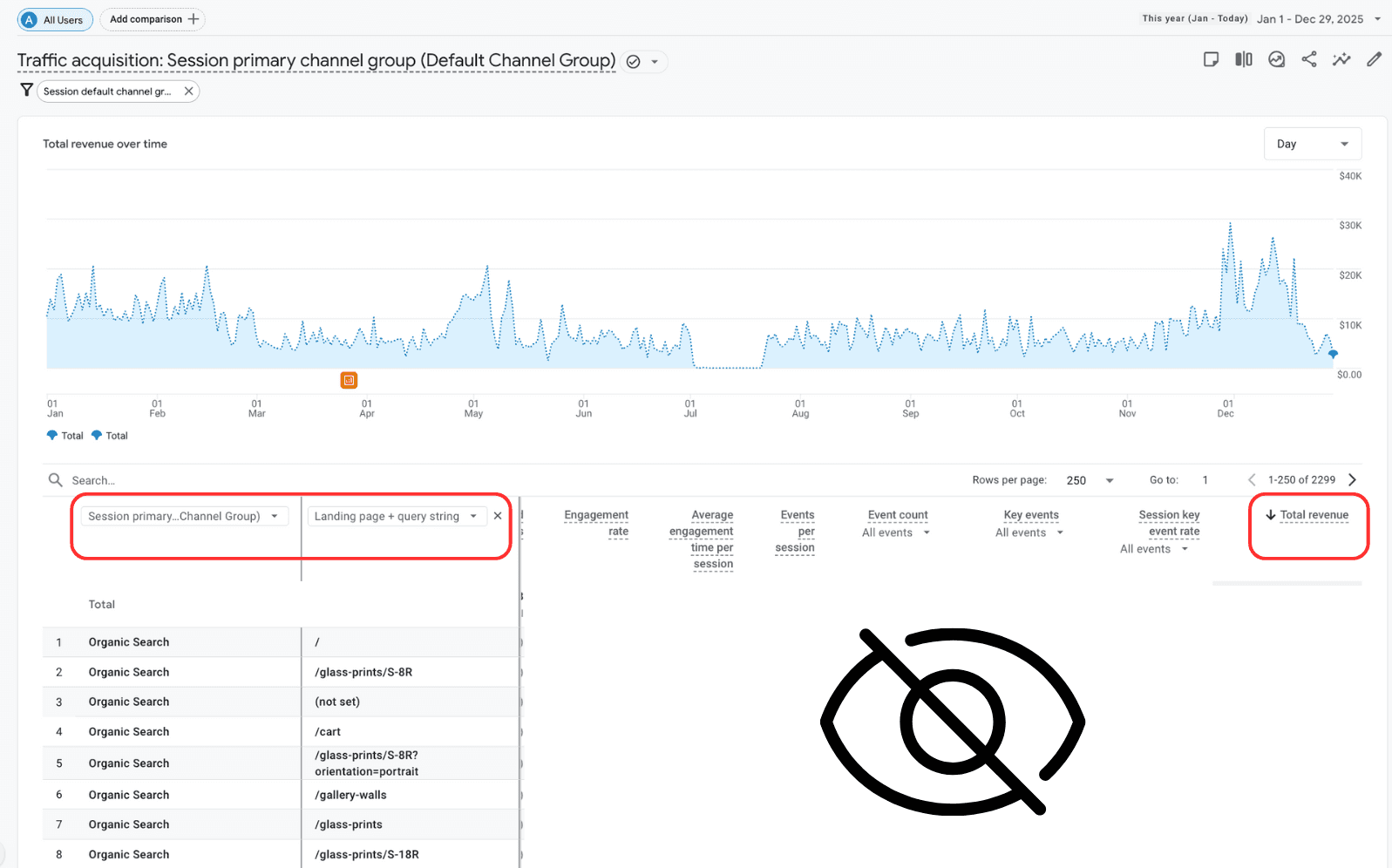
These are your pages already driving business value—they're your best AI optimization targets.
You can either download this sheet by clicking "Share this report" -> "Download File" -> "Download CSV" or just copy the url slugs from here.
NOTE: If Google Analytics does not show any top performing pages for your brand, no worries. Just select top 5 products/best sellers from your site and 2-3 other pages you want to optimize on AI search.
Step 2: Generate Queries That Convert
Once you have found the list of say top 7-10 pages performing the best on organic search or if not found you have selected the pages you want to optimize, the next job is to find customer pain-points around those pages and create queries.
For the following steps, you need to prompt on ChatGPT:
Finding Customer Pain Points:
Prompt: "Analyze your page content to identify user pain points, categorize them, and rate severity". Input the downloaded sheet of top pages or paste the urls along with your domain as well.
Creating Queries:
In the same thread after you got the last answer, then prompt: "Transform those pain points into targeted queries across 4 categories: Problem-focused queries, Feature-specific queries, Comparison queries, Implementation queries"
Now that you have these prompts, You have two options to add them to Passionfruit Labs:
Option 1: Bulk Upload the queries using the sample excel sheet
Go to "CONFIGURE" → "Prompts" → "Bulk Upload", download the sample excel sheet
Ask ChatGPT, to add the finalized queries in the excel sheet. Note: Column headers "Prompt", "Country" and "Tags" are required and must be kept in the same format.
Then upload the updated excel file in Passionfruit Labs.
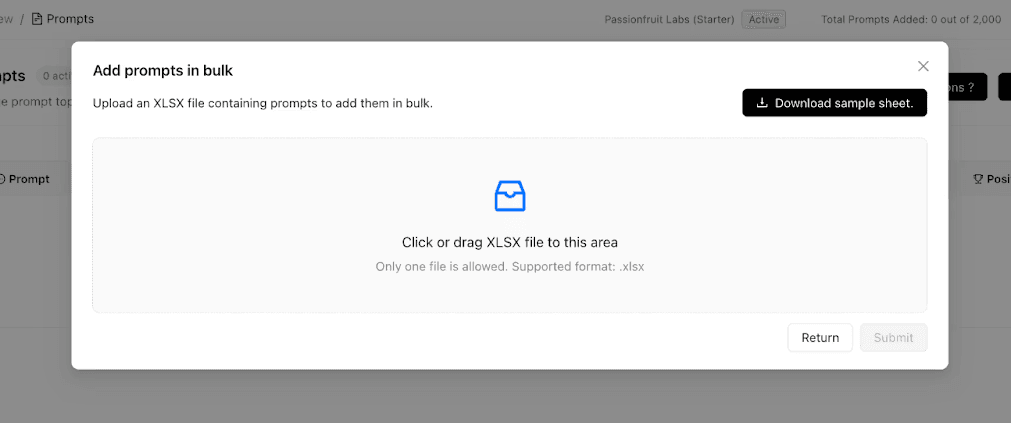
Option 2: Adding Prompts Manually:
Manual Prompt Creation:
Click “Prompts” in the sidebar.
Hit “Add Prompt” and enter real buyer or industry questions (Eg: “Who is the best SaaS provider for startups?”/ “Where to purchase the best cotton shirt for fast delivery?” ).
Select the country in which you want to run the prompt in.
Assign topics/tags for product category, funnel stage, location, or theme, by either selecting an existing one or creating a new one.
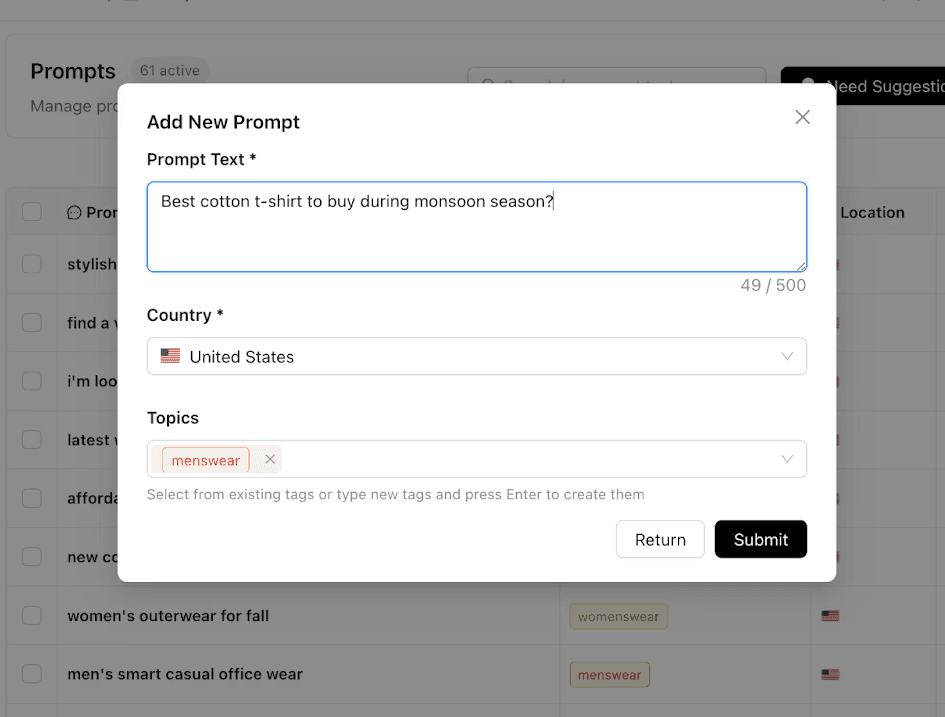
Still Unsure or feeling lazy? Let us suggest which prompts to track and optimize. In Prompts section,
Click on “Need Suggestions”
Select a target country and hit on “Generate Suggestions”
Our AI powered proprietary algorithm generates prompts and associated topics by analyzing your brand’s website, competitor’s , industry insights, geographical location insights as well as competitive AI search analytics.
Select Relevant Prompts and Topics.
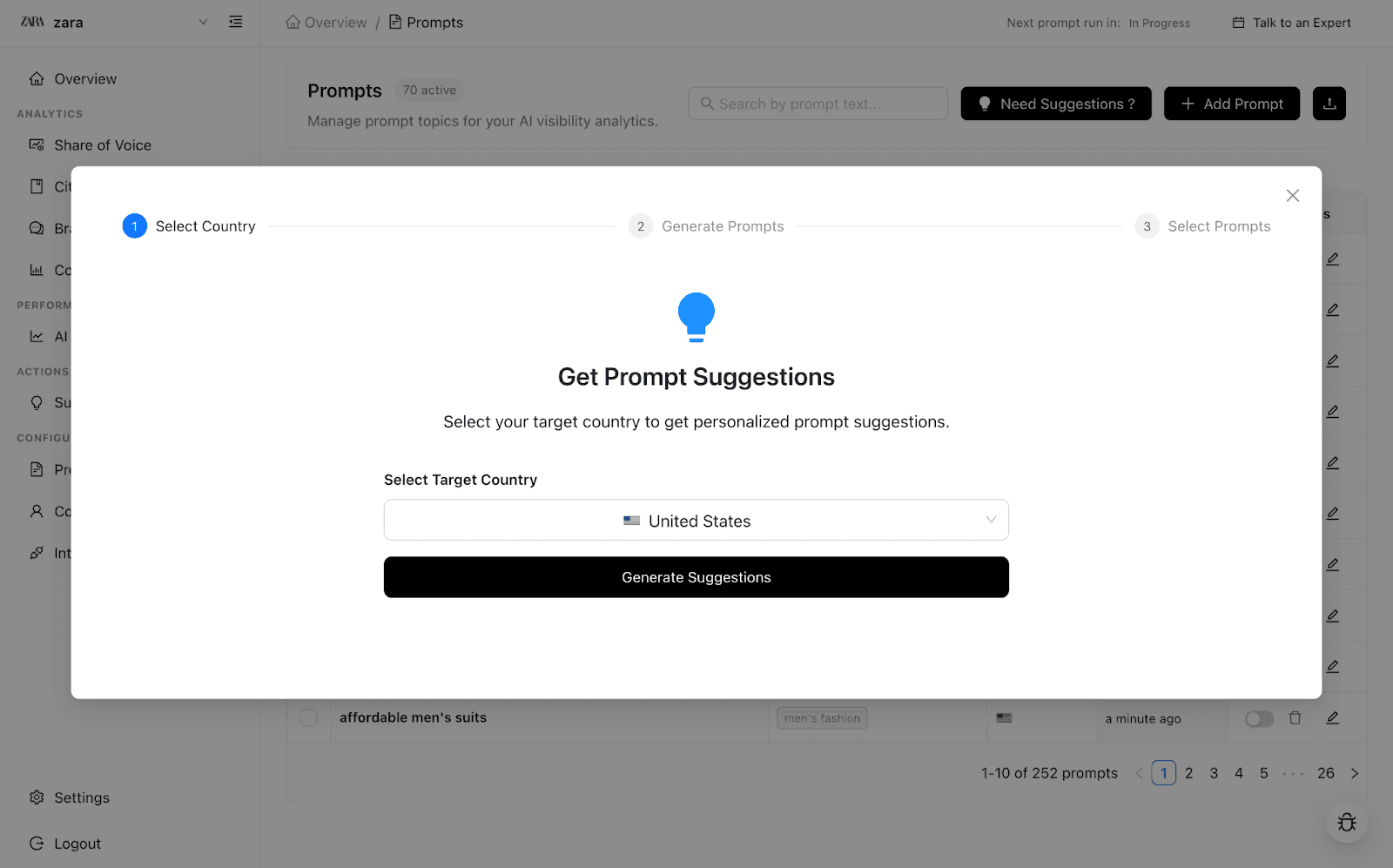
NOTE: the prompts suggested using this feature may be broad and might need your manual intervention. Feel free to speak with us here to get an AI search expert's help to improve the quality and relevancy of the prompts.
Competitors Explainer: How to Add
Unlock deep benchmarking—track who’s winning attention, citations, and sentiment in AI search results.
Manual Addition:
Click “Add Competitor.”
Fill in the competitor’s brand name and main domain (for competitor benchmarking analysis).
Submit to enable benchmarking of their AI mentions, citations, and sentiment.
Track as many competitors as you wish—no limits per workspace.
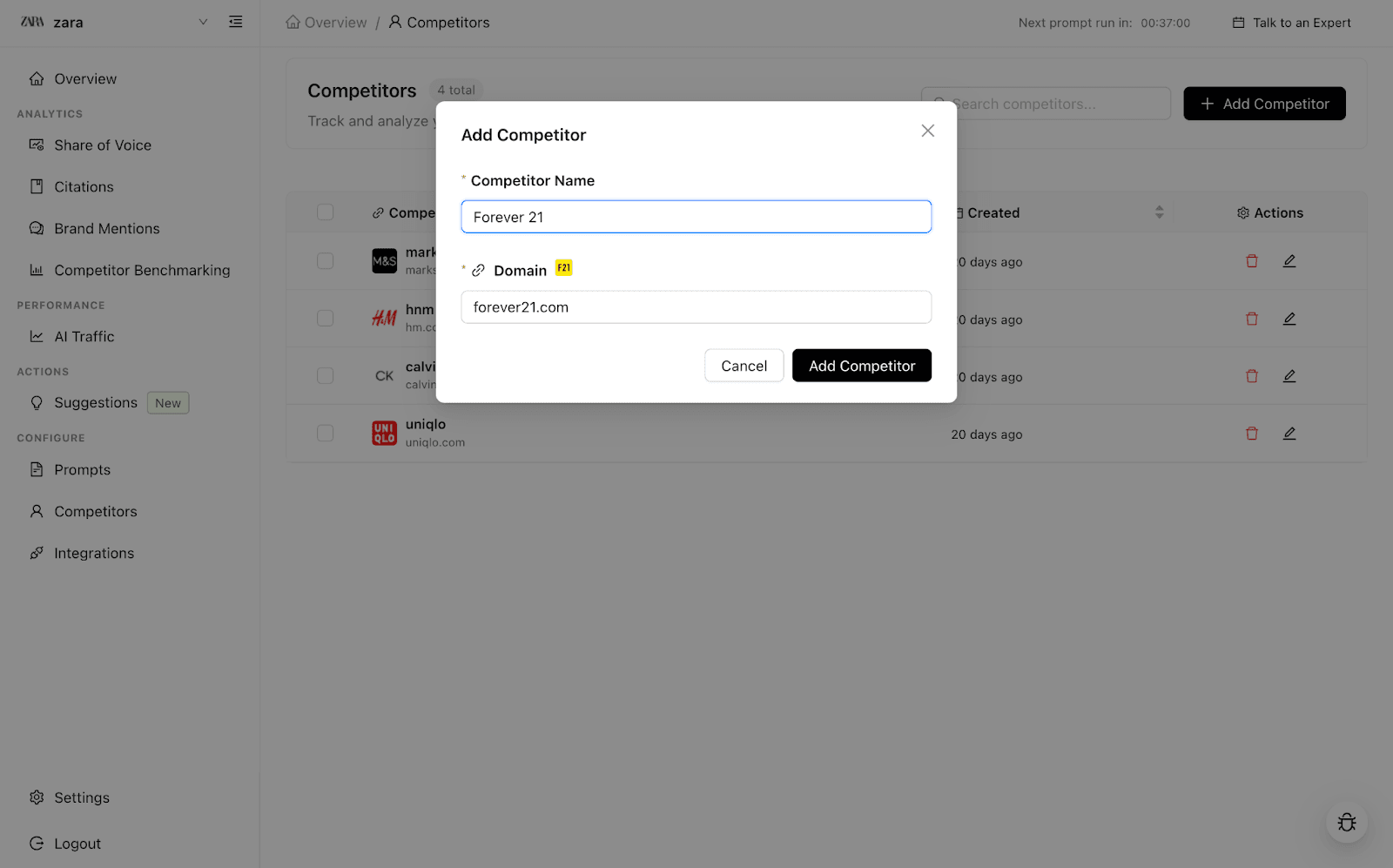
Tip: Update your competitor list as new players emerge—Passionfruit Labs keeps your competitive edge razor-sharp!
Integrations Explainer: How to Add
Unlock powerful analytics and unified reporting by connecting Passionfruit Labs to your existing stack:
Google Analytics and Google Search Console Integration:
Navigate to “Integrations” in your Passionfruit dashboard.
Click “Connect Google.”
Sign in to your Google account that has admin access to Google Analytics account and authorize connection.
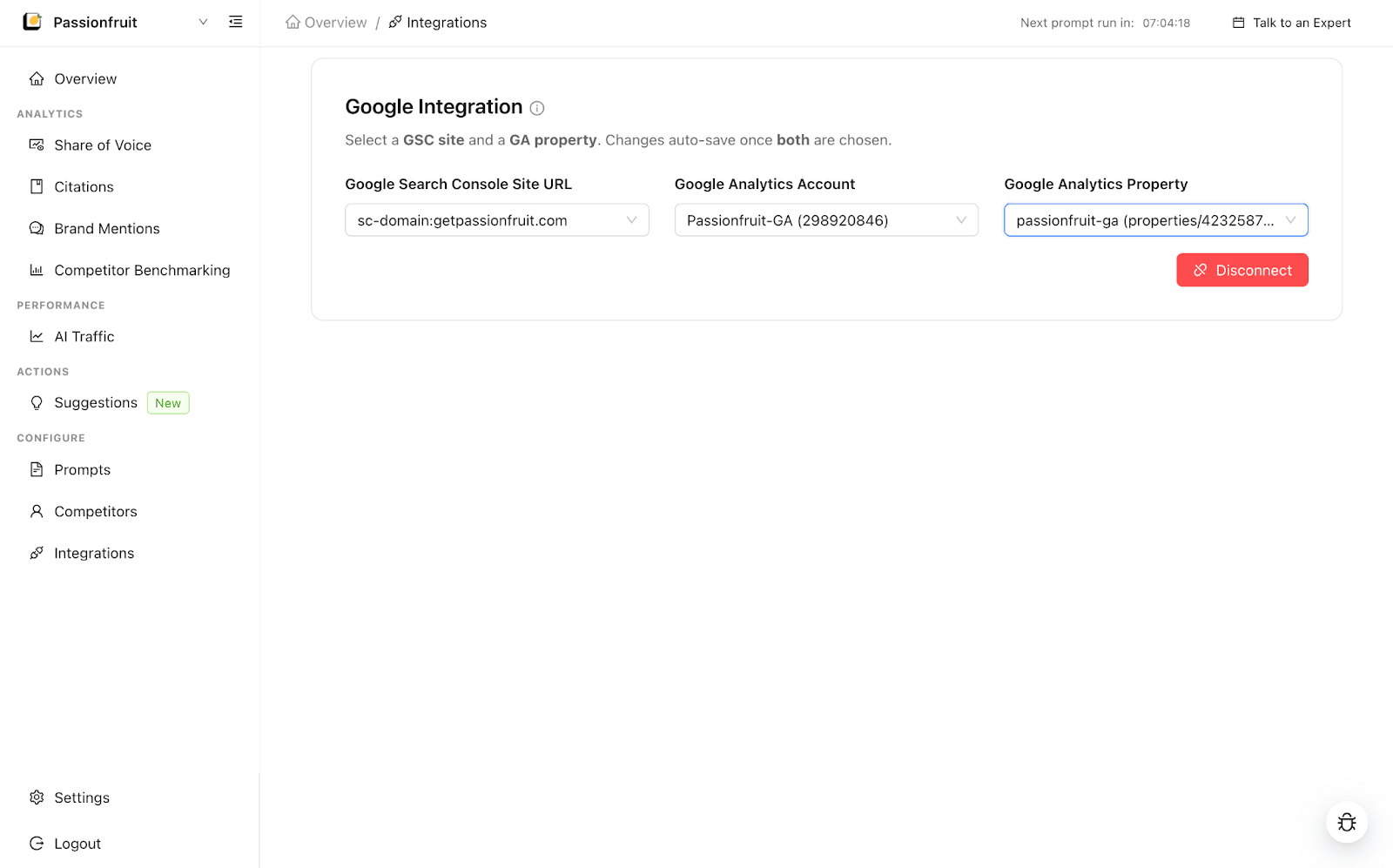
Select your Google Analytics property, Google Analytics account and Google Search Console URL that you want to track.
Instantly see AI search traffic and revenue from all AI search engines.